|
<< Click to Display Table of Contents >> MIDI Protocol Selection |
  
|
|
<< Click to Display Table of Contents >> MIDI Protocol Selection |
|
Microsoft(tm) has released a Windows MIDI Services that now supports MIDI 1.0 as well as the MIDI 2.0 Universal MIDI Packet (UMP) standard. Their release to individuals running Windows 11 has not been uniform, however, and on starting Composer you may see a pop-up that says "The Windows MIDI service is not running" as well as have a page from our website that will open in your browser giving you a bit more information. This situation will not hinder you from using the software, it just means that the newer MIDI service has not been installed in the Windows update for your machine yet. Composer will work just fine using the MIDI capabilities that have been in place previously. You can click the link to find out the current Windows MIDI Services status.
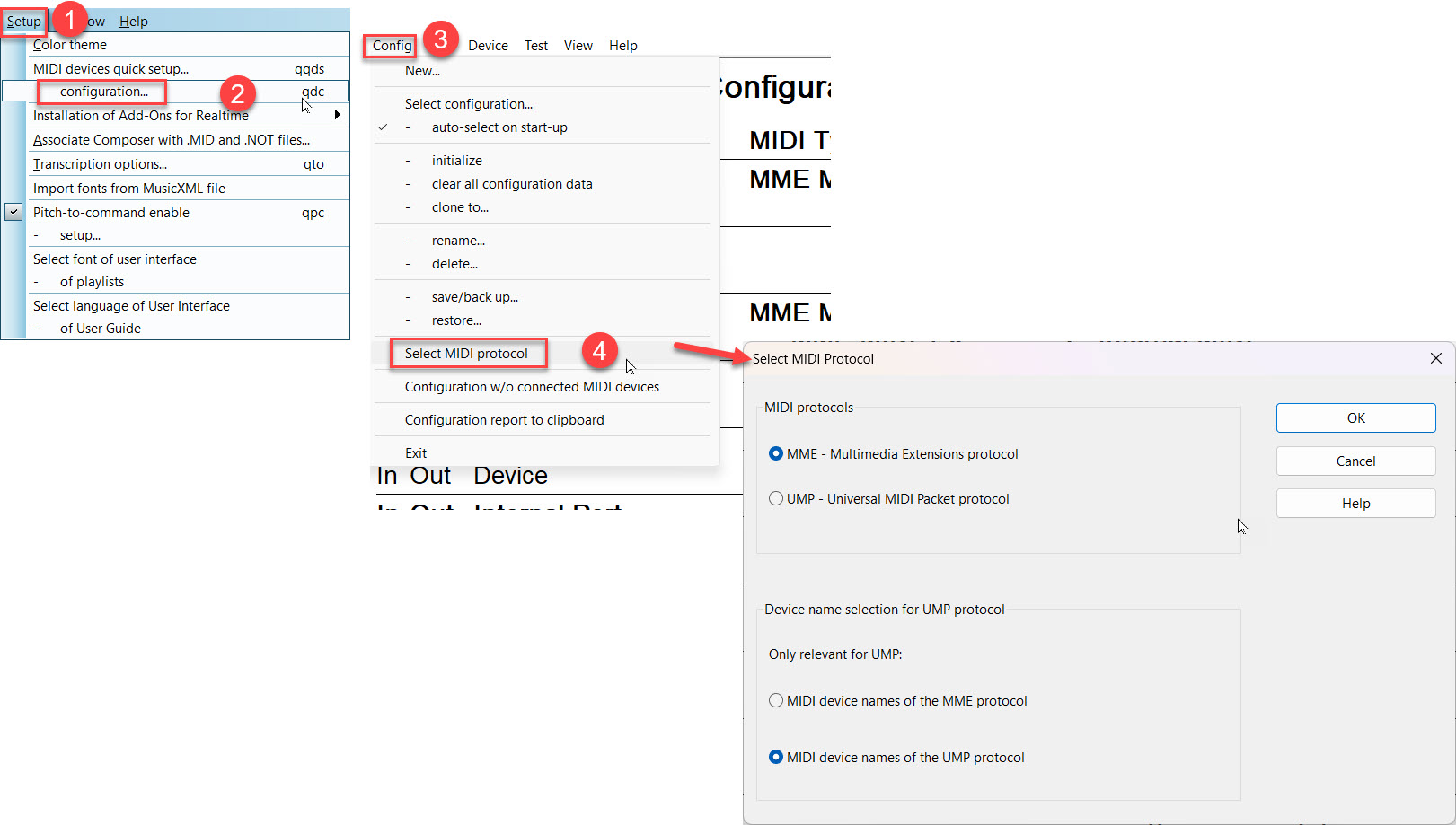
Composer allows you to take advantage of the UMP standard features of your devices and software by switching to UMP mode. With 'Setup / Midi Device Configuration'/Config/Select Midi Protocol you can switch between MME and UMP, depending on your needs.
If you select the UMP option before the UMP service is installed on your machine you will see the following error message:
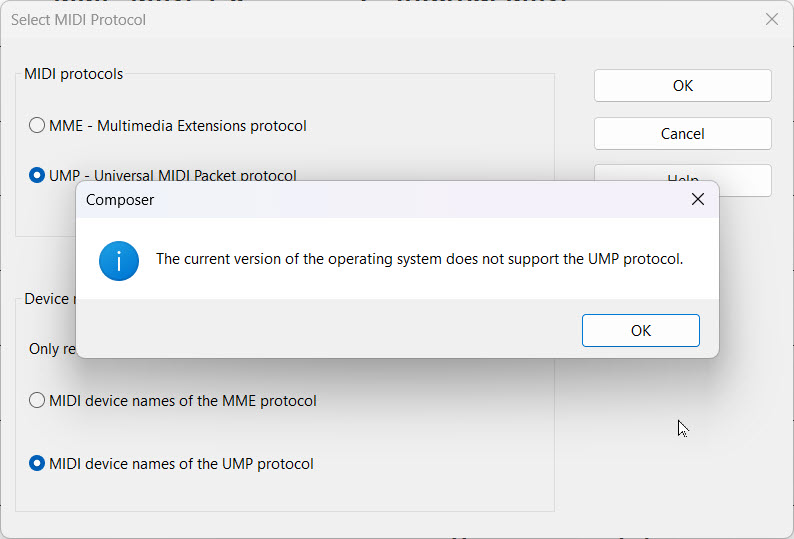
If you see this error message, just click "OK" and Composer will simply re-select MME and you can continue with your work.
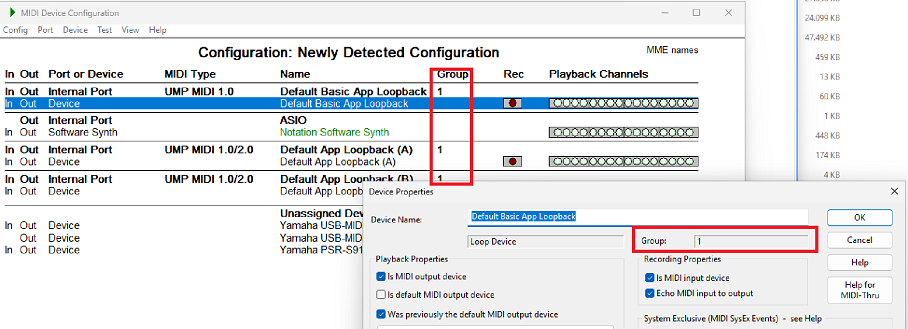
If the Windows MIDI Services is activated on your machine, then you can take advantage of the advanced capabilities it offers such as "loops" (aka "virtual MIDI cable connections") and Composer's "Group" capability when working with various MIDI 2.0 devices: