|
<< Click to Display Table of Contents >> Enhanced Looping Capability Using Windows MIDI Services |
  
|
|
<< Click to Display Table of Contents >> Enhanced Looping Capability Using Windows MIDI Services |
|
Windows MIDI Services is able to create internal loops for internal MIDI playback devices using the 'Windows Musician Settings' tool. This capability makes it easier than ever to use various instrument libraries and other internal devices and the ability for an enhanced MIDI loop concept within Composer's MIDI Device Configuration.
This MIDI loop concept in Composer includes other MIDI loop software like LoopBe and loopMIDI as well as the new MIDI loop capability of Windows MIDI Services, and includes the following capabilities:
•configuring a MIDI output device which is connected
•looping-in the MIDI stream similar to recording
•playback of the MIDI stream which is looped-in to the configured output device
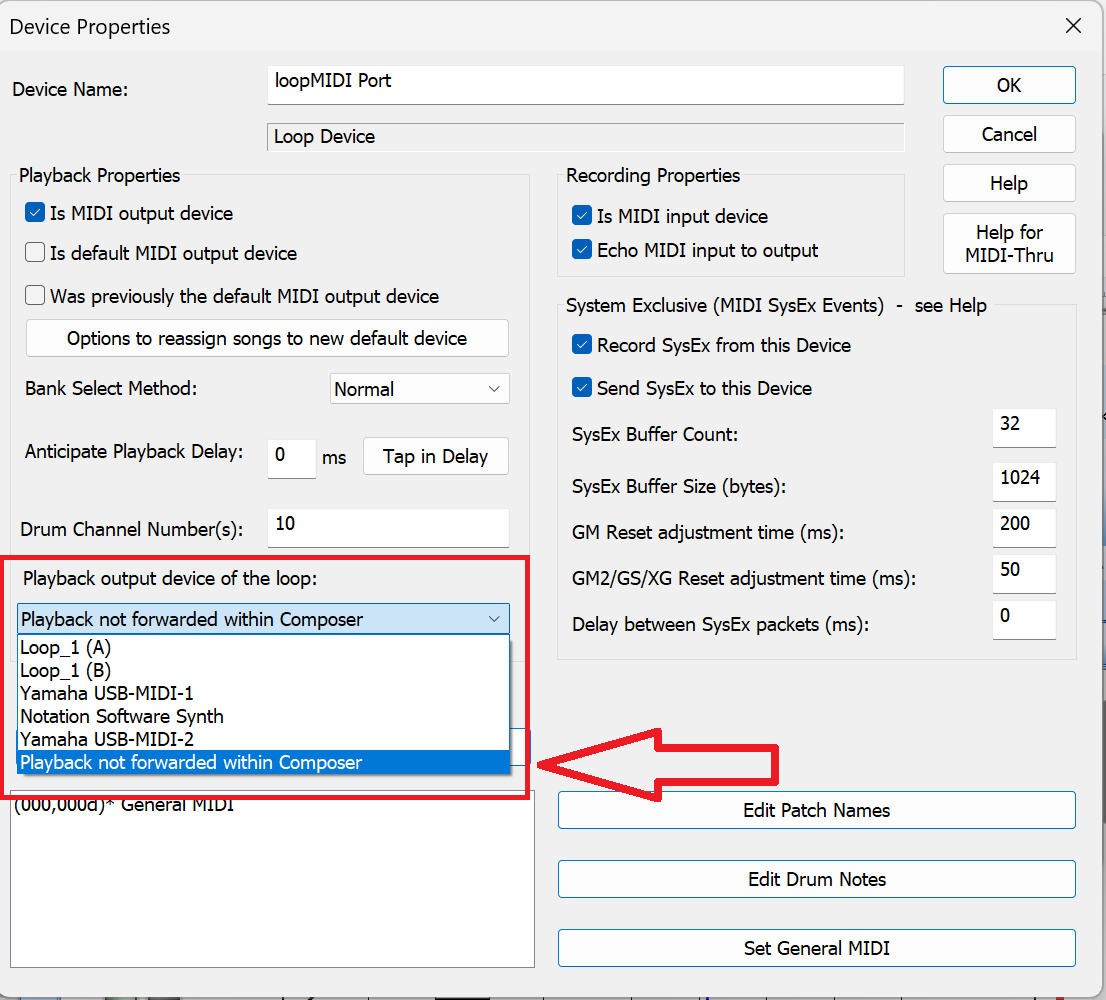
•option to not forward the playback to an output device. This is helpful when only software that is external to Composer should use the play back
As an example of the extended capability of this looping paradigm, this picture shows a complex loop configuration:
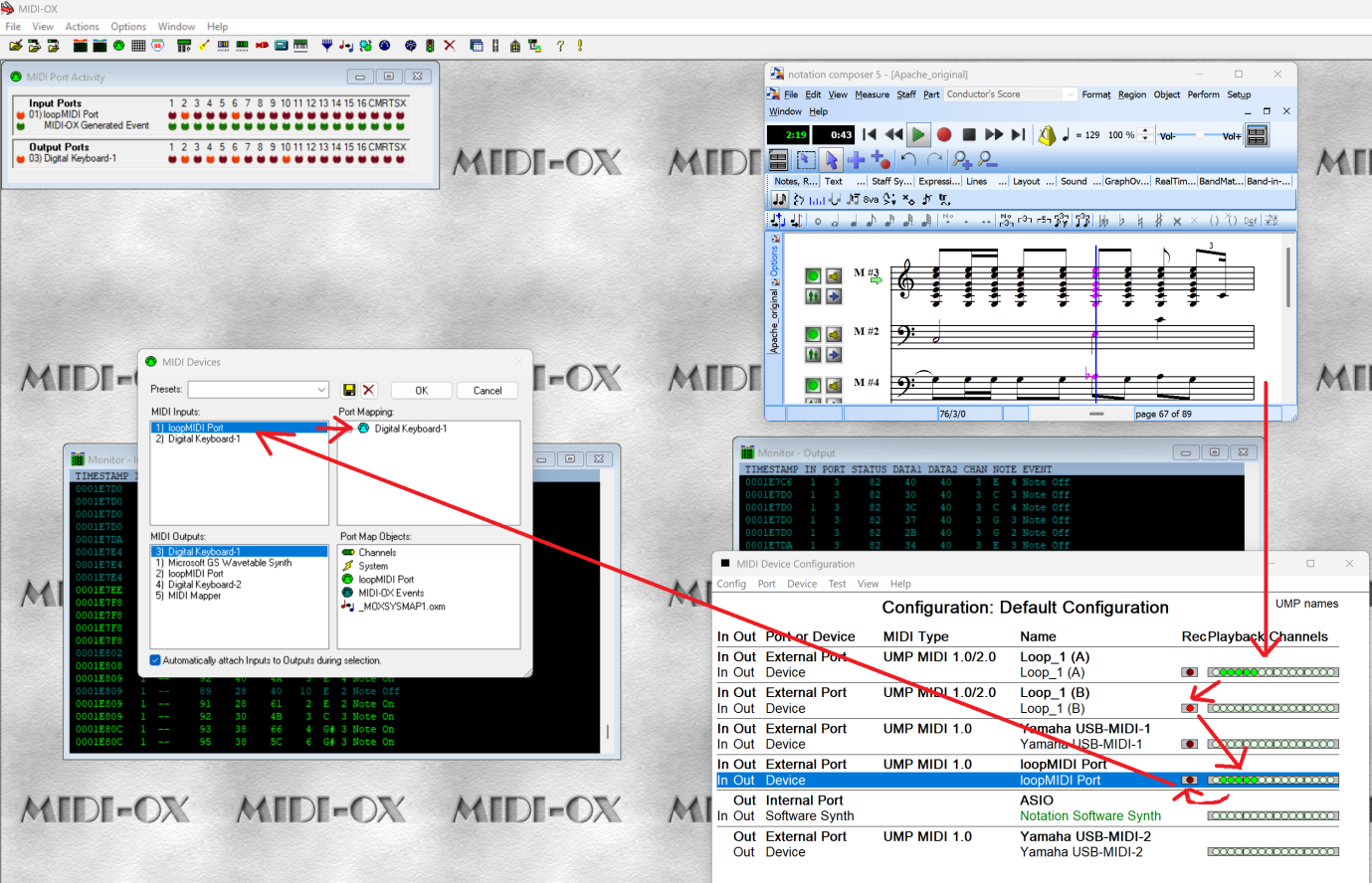
(Please remember that an "external" port refers to any physical or software port that is "external" to Composer; it does not have to be external physically from your machine.)
In the above example
•Loop_1 (A) and Loop_1 (B) were created using the Windows MIDI Settings tool.
•loopMIDI is an independent loop creation application that can also create loop connections.
•The Yamaha USB-MIDI-1 and Yamaha USB-MIDI-2 are physical external devices.
In this example the MIDI playback signal takes the following path:
•The playback from Composer goes to Loop_1(A) input
•Loop_1(A) output sends the playback to Loop_1(B) input
•Loop_1(B) output forwards the playback to the external loopMIDI port
•The loopMIDI port circles the output to its input port. This port’s output is not connected inside Composer.
•MIDI-OX "listens" to the loopMIDI input port and forwards the MIDI stream to the Yamaha Digital Keyboard-1 to produce sound.
All events in the MIDI stream are fully handled. E.g. SysEx events are fully routed in this scenario.
For configuring loop devices there is a specific field in the Device Properties box of such loop devices:
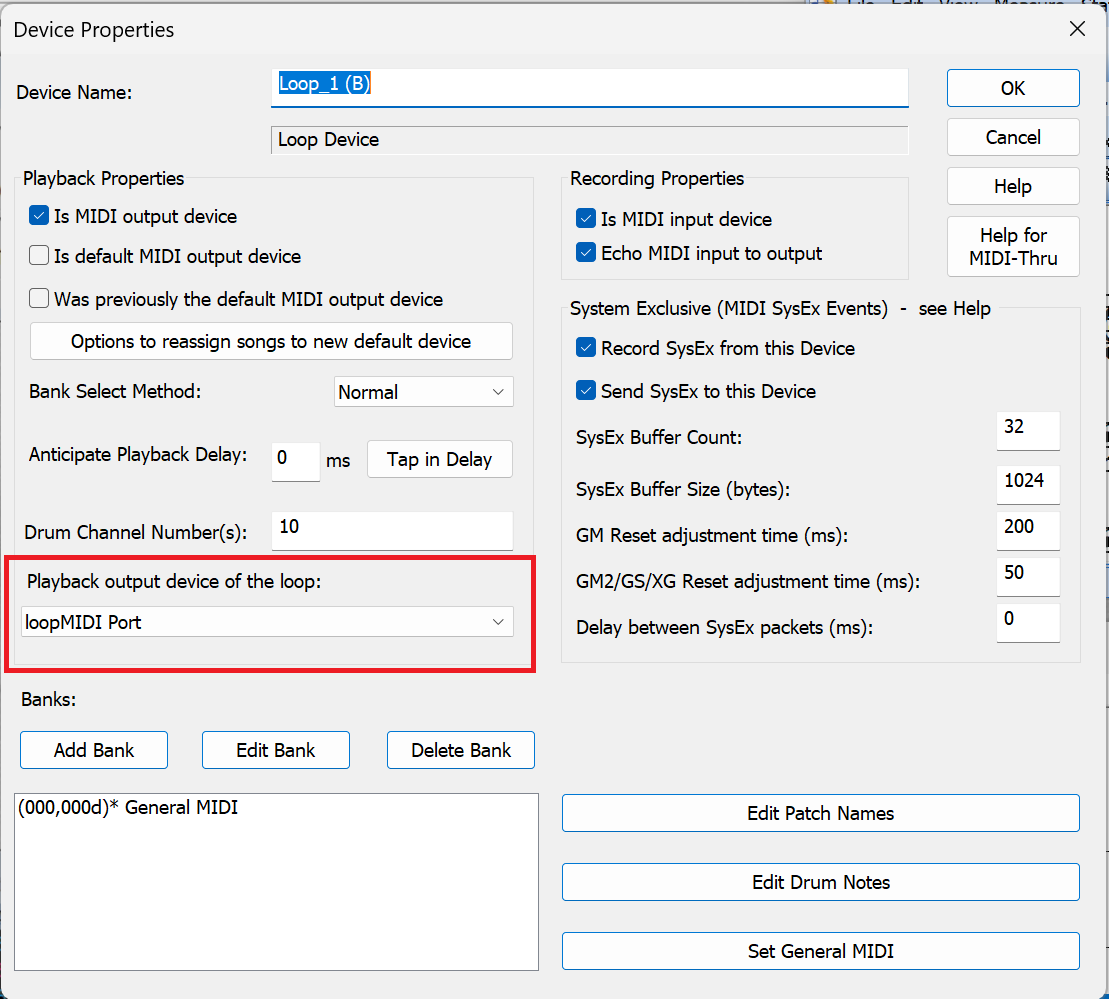
The list shows all available MIDI devices as shown below, including an option to not forward the MIDI stream inside Composer. This list is only available for loop devices, and will not show up in the Device Properties of other Devices.
Please note: the configurations are included in the .cf3 configuration file. The .cf3 file cannot be used in a previous version prior to v 5.1.4, but a previous .cf3 file can be used in higher builds.